
You're halfway through a busy clinic day, you're running behind, and you're already thinking about the notes you haven't finished yet. That's what medical transcription software is meant to change. It won't remove clinical judgement, and it shouldn't. Used well, it can take the listening, structuring, and filing work off your desk so you can focus on the patient in front of you.
Table of Contents
- The Problem Behind the Paperwork
- What Medical Transcription Software Actually Does
- Core Features That Matter in Practice
- AI Transcription vs Human Transcription
- How AI Advances Are Changing Clinical Documentation
- Integration with Practice Management Systems
- Safety, Privacy, and Clinician Accountability
- How to Pilot Transcription Software Safely
The Problem Behind the Paperwork
It's 6.30 pm. The last patient has left, the waiting room is empty, and the GP is still at her desk. She has a list of unfinished notes, two referral letters to dictate, and a care plan she started between consults. None of that work is patient care, but all of it has to be finished before the record is safe and complete.

That scenario isn't unusual. In a survey of 772 Australian clinicians, 92% identified documentation as their top administrative burden and 86% used AI daily or several times a week, according to reporting on Australian clinicians using AI to cut paperwork load. The numbers explain why interest in automation isn't about novelty. It's about time that's already scarce.
Why Manual Transfer Still Creates Work
Australia moved from paper files to electronic records, but that shift didn't automatically remove manual transcription. Information can sit inside a system and still be hard to move, extract, or reuse. When that happens, staff retype it, copy it across, or rebuild it in another format.
A Royal Australian College of General Practitioners report described researchers who needed to access 285 individual EMRs across three general practices and had to manually transcribe data because remote extraction wasn't practical, as detailed in the RACGP report on enabling research in general practice. That's a useful lesson for any clinic. Even electronic information creates an administrative burden when systems don't connect well.
The problem isn't just typing slowly. It's moving clinically relevant information between people and systems without losing accuracy, context, or hours.
That's why medical transcription software matters beyond dictation. For practices using Best Practice or MedicalDirector, the value isn't only turning speech into text. It's structuring what was said and linking it to the correct patient record, so the note becomes usable for follow up, referrals, and longitudinal care instead of sitting as another block of free text.
What Medical Transcription Software Actually Does
Think of modern medical transcription software as a careful assistant with three jobs. First, it listens. Then it works out what belongs in the clinical note, and finally it files that information where your team can use it. If it only does the first job, you've bought dictation, not documentation support.
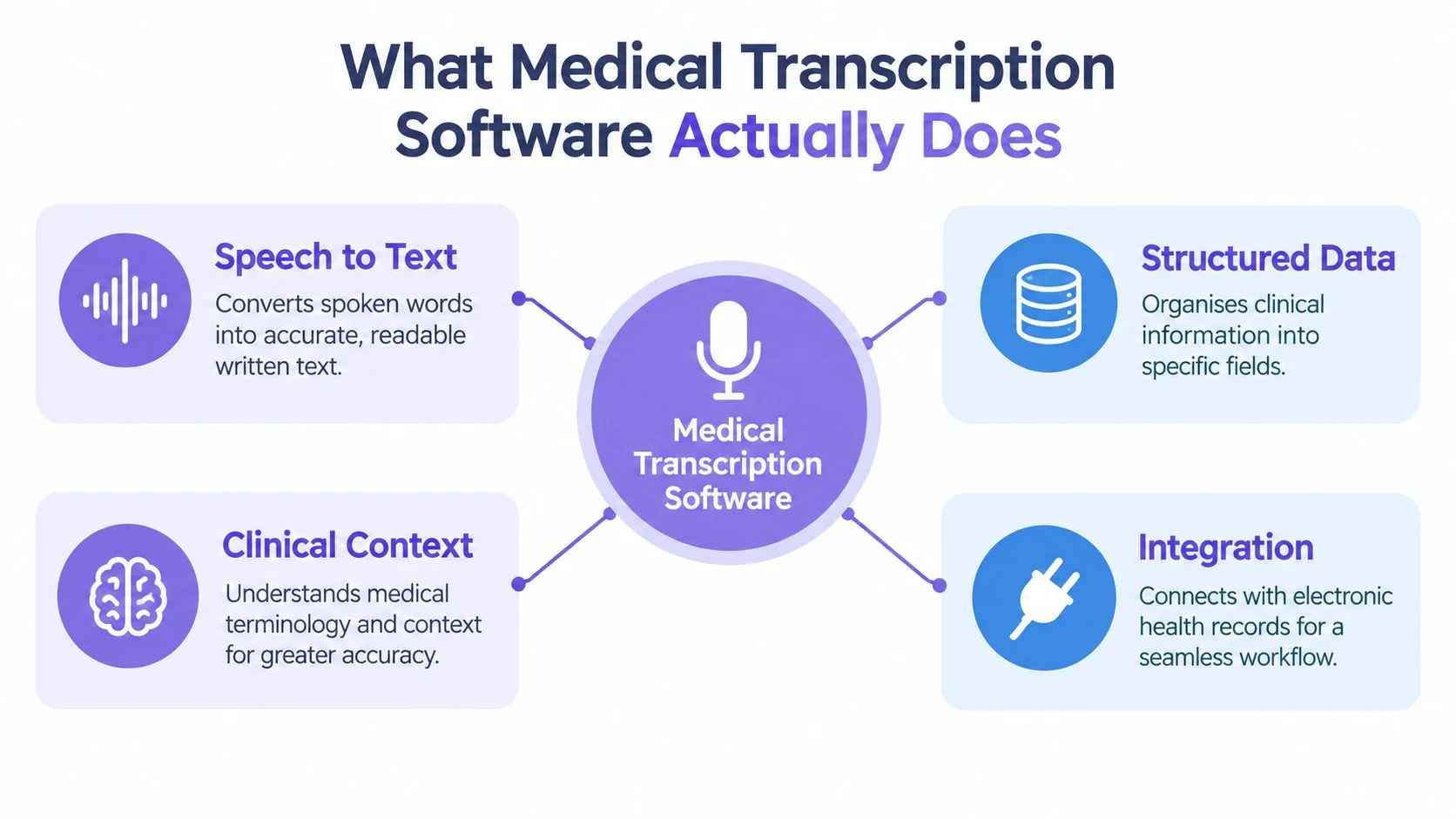
At the simplest level, the software converts speech into text. A clinician dictates after a consult, or the system captures the conversation during the consult with consent. Older tools stopped there, leaving the doctor to edit, format, and paste the result into the record.
From Transcript to Structured Note
Newer systems go further. They separate history, examination, assessment, and plan. They can pull out diagnoses, medications, observations, and follow up actions as discrete items, rather than burying them in a paragraph. That structure matters when another clinician needs to find something quickly.
- Patient and encounter details: The note stays attached to the right person, visit, author, and time.
- Clinical elements: Diagnoses, medications, and care plan items are identified as structured data.
- Reviewable draft: The clinician checks, corrects, and approves the note before it becomes part of the record.
Confusion often starts there. Dictation means you compose the note aloud, word by word. Transcription turns recorded speech into a document. An AI scribe listens to the consultation and drafts a structured note for you to review. Many clinics use a mix, depending on the type of document.
If you're comparing how dictation and ambient drafting are converging, it's worth reviewing Microsoft Dragon Copilot tools as one example of that combined approach. The key question isn't the label on the product. It's how much composing, structuring, and filing work remains for your clinician after the recording stops.
Core Features That Matter in Practice
A sales demo usually starts with speed. In practice, you should start with the finished document. How long does it take to get a checked, filed note or letter, and how much correction did it need along the way?
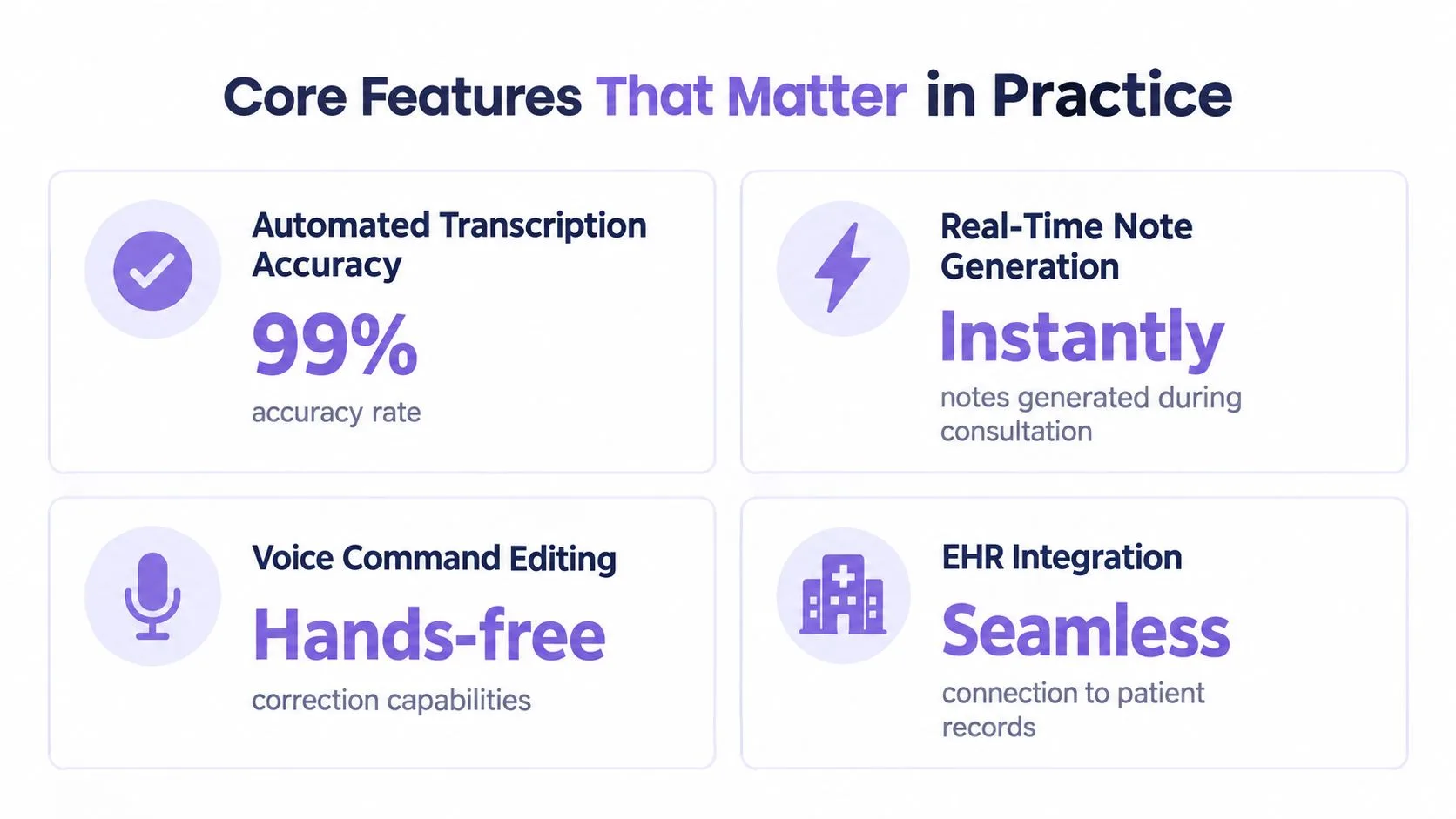
The feature overview below is a useful starting point, but each feature needs to be tested in your own workflow.
A Children's Health Queensland pilot gives Australian clinics a practical benchmark. The median time to finalise outpatient letters fell from 7.9 days, based on 8,849 letters, to 14 minutes, based on 10,038 letters, with a reported difference at p < 0.001, and transcription costs fell by AUD 16,903 during the trial period, according to the Children's Health Queensland pilot evaluation. The pilot included 131 participants, including medical, allied health, and nurse practitioner staff, which suggests the workflow question isn't limited to one specialty.
Features to Test, Not Just Admire
- Structured output: Look for validated fields you can reuse, a point explored further in this guide to types of structured notes.
- Real time drafting: The draft should be ready for review promptly, not create a new queue.
- Voice based correction: Editing by voice helps, but only if corrections stay fast and accurate.
- Interoperability: The Australian Digital Health Agency recommends EMR systems support HL7 FHIR documents and FHIR compliant APIs, and identifies HL7 version 2.4.1 and the ORM specification as minimum API capabilities, as set out in Australian Digital Health Agency guidance for electronic medical record systems.
That last point is a safety issue, not a technical extra. Structured, validated output reduces rekeying and makes notes more usable for recalls, referrals, and coding. Clinics planning broader automation can also learn from healthcare testing automation case studies about testing integrations before they affect live care.
This short video helps put those feature claims into a workflow context before you test them yourself.
AI Transcription vs Human Transcription
Human transcription earned its place because an experienced transcriptionist understands context, formatting, and unclear speech. The trade off is delay. You dictate, someone else types, the document returns, and the clinician still has to check it. When clinics are busy, that queue becomes the bottleneck.
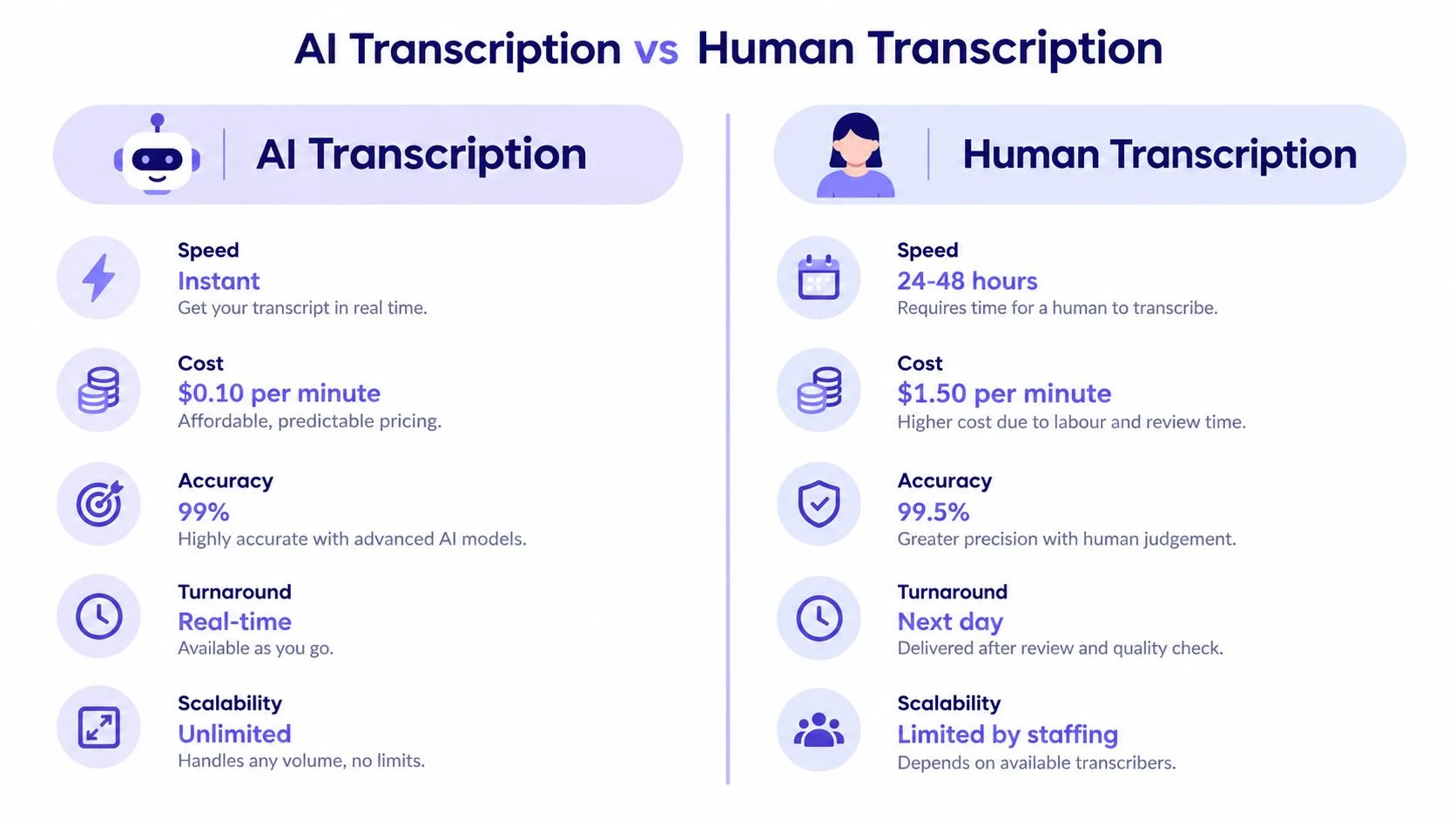
The comparison below frames the main differences, but your decision should rest on your own turnaround, correction, and oversight needs.
Comparing on Criteria That Affect Care
| Criterion | AI transcription | Human transcription |
|---|---|---|
| Speed | Draft available for review shortly after capture | Depends on queue and staffing |
| Scalability | Handles extra volume without roster changes | Limited by available transcriptionists |
| Cost shape | Usually subscription based | Often tied to volume of work sent out |
| Oversight | Clinician review is essential before filing | Clinician review is still required |
| Best fit | High volume notes and letters needing fast finalisation | Complex documents where a practice prefers human preparation |
Don't judge either option on raw word accuracy alone. Judge the end to end outcome. How long until the letter is finalised? How long does the clinician spend correcting it? Does the final text land in the right record, in a format the next clinician can use?
Practical rule: If a fast draft creates slow correction work, it hasn't saved time. Measure finalisation, not just transcription.
Some practices will keep human support for particular document types or quality checks, while using AI for routine consultation notes. Others will move most drafting to AI and reserve staff time for exceptions. There's no single correct mix. What matters is that the clinician remains responsible for the final record, whichever method produced the first draft.
How AI Advances Are Changing Clinical Documentation
A GP finishes a long consultation about a patient's worsening asthma. While the conversation was happening, the software was working: separating the patient's account of her symptoms from the doctor's assessment, ignoring the chat about grandchildren, and sorting the clinical details into the practice's usual note template. By the time the patient reaches the door, a structured draft is waiting.
That is the change.
Older speech recognition waited for a clinician to dictate a finished sentence. Current systems follow the consultation as it unfolds, which moves the clinician's job from composing every line to reviewing what was captured. The blank screen after each patient is gone. What replaces it is a draft that needs a careful eye.
The drafting reach extends past the note itself. Some systems can prepare a care plan, pull together a summary of key patient details, or suggest possible diagnoses for the clinician to weigh up. They can also compare today's information against recent documentation, which makes gradual changes easier to spot. TOOLii Doctor Consult is one example: it transcribes consultations, generates structured notes and care plans, and can compare the last three months of care plans within five seconds.
Every one of those outputs stays a draft until a clinician decides otherwise. Treat them the way you would a capable registrar's work: the preparation is done, the judgement is still yours. A suggested diagnosis becomes a diagnosis only when you confirm it against the history and current guidance. A generated care plan takes effect only after you check it against the patient in front of you.
For context on where documentation fits among other clinical and administrative uses, this overview of AI for healthcare connects the pieces.
When you trial a product, the test is straightforward. Does it leave clinicians with more attention for listening, examining, and deciding? Or does it move the typing somewhere else?
Integration with Practice Management Systems
A GP finishes a consult at 9:40, approves the draft, and moves to the next patient. At lunch, the receptionist flags a problem: the note has landed in the wrong patient's chart because the transcription app never confirmed which encounter was open. The dictation was accurate. The filing was not.
That gap is what integration is meant to close. In an Australian clinic, the transcription tool has to talk to whatever runs the record, usually Best Practice, MedicalDirector, or another practice management system with API connectivity. When it works, the approved note arrives in the correct patient file carrying the right encounter details, author, and timestamp, with no retyping between systems.
When you sit through a vendor demo, ask them to run the whole journey rather than show the recording screen. Create a test patient, record a consult, edit the draft, approve it, and watch where it lands inside the practice management system. Pay attention to the discrete items. Did the medication and the diagnosis arrive as coded data you can act on, or as a block of free text that still needs manual handling?
The failure modes matter as much as the success path. A well behaved integration preserves patient, encounter, and author identifiers through the transfer. It confirms the write succeeded and flags failures clearly enough for staff to notice. If a transfer fails and someone retries, it should never file the note twice. And nothing should reach the legal record before a clinician has reviewed it, because once it does, it becomes part of what the practice is accountable for.
Accuracy in the app means little if the note is filed against the wrong encounter. Test the handover, not just the transcript.
If you are reassessing your record system at the same time, this guide to electronic medical records software frames the questions worth asking about fit and connectivity. A single vendor covering document capture, telephony, bookings, recalls, transcription, and secure sharing reduces the number of handovers between tools, which usually means fewer logins and less rekeying. Even so, test error handling and audit trails yourself, since convenience at the join does not excuse weak control underneath.
Safety, Privacy, and Clinician Accountability
A transcript can read perfectly and still leave the practice exposed. The test is whether you can reconstruct the note's history after a complaint, an audit, or a patient request: who consented, where the audio went, who changed the draft, and who approved the final entry.
Australian indemnity guidance treats AI generated notes as drafts that clinicians must check, correct, and complete before saving, and says practices should disclose AI scribe use in their privacy policy, according to Avant guidance on artificial intelligence for medical documentation. The same guidance reflects a wider gap: AI scribes generally sit outside Therapeutic Goods Administration medical device oversight, so the buyer carries more of the governance burden.
What Good Looks Like When Something Goes Wrong
RACGP guidance for practice owned systems points to unique authentication, role based profiles, encrypted storage and transmission, Australian located secure servers, access monitoring, and automatic audit logging, as described in RACGP security and privacy requirements for practice owned systems. Those controls matter even more when content may flow toward My Health Record, where documents need to be accurate, current, and clinically relevant.
| If a patient or regulator asks | The practice should produce |
|---|---|
| Who agreed to recording? | Configurable notice, questions process, and a workable refusal path |
| Where did the data go? | Documented locations for audio, temporary transcripts, backups, and processing data |
| Who touched the note? | Immutable logs showing views, edits, approvals, and timestamps |
| Why is the recording still stored? | A written retention reason, or deletion already completed |
| Did access stop when staff left? | Revocation records that match HR offboarding dates |
A useful discipline is to run one fictional incident before contract signing. Pick a routine consult, then ask the vendor and your admin team to reconstruct every step from microphone to filed note. Gaps show up quickly: consent wording nobody can find, audio retained by default, logs that show edits but not approval, or exports that lose author attribution.
General AI hygiene still applies outside approved clinical tools, and this ChatGPT data privacy guide is a reminder to keep identifiable patient content out of products that have not been assessed for that use. If staff cannot explain where information goes, they should not paste clinical detail into it.
How to Pilot Transcription Software Safely
Don't start by rolling a tool out to every clinician. Start with a small pilot that can fail safely, teach you something useful, and give reluctant staff a fair hearing. Choose a mix of enthusiastic and sceptical users, because the sceptics will find the workflow problems first.
Before the first live consult, agree on your baseline. Time how long notes and letters currently take to finalise, how much after hours documentation clinicians do, and how long correction takes. Without that baseline, you'll end up arguing from impressions.
A Practical Pilot Sequence
- Set consent and review rules first: Confirm your patient notice, privacy policy update, refusal process, and the rule that a clinician approves every note.
- Test with realistic consults: Include different specialties, appointment lengths, and document types your clinic produces every week.
- Check the integration path: Verify patient identifiers, encounter metadata, author attribution, timestamps, section structure, and terminology mappings after transfer.
- Measure correction burden: Record post edit time separately from consult time, so a fast draft doesn't hide slow cleanup.
- Audit a sample: Review approved notes for clinically significant errors, missing negations, wrong medication names, and incorrect numbers.
Accuracy needs closer attention than a single headline figure. In the Australian clinician survey noted earlier, 69% cited hallucination and accuracy risk as a leading concern and 58% cited patient privacy. That concern is reasonable. A short demonstration with one speaker in a quiet room doesn't prove the system is safe for your patient mix.
Questions Readers Usually Ask Next
How accurate is it, really? Ask for performance broken down by accent, language, specialty terminology, overlapping speakers, and noisy rooms. Then verify it in your own pilot. Australian accents, multilingual consults, family members speaking for a patient, and culturally specific communication can all affect results. What matters most is the rate of clinically significant errors, not whether a filler word was missed.
What happens to the audio? Your vendor should document where recordings and temporary transcripts are stored, whether data leaves Australia, how long it's retained, and how deletion works. If the answer is vague, pause the rollout. You can't explain a data flow to a patient if the vendor hasn't explained it to you.
Can a patient refuse? Your practice needs a clear, workable answer before go live. Staff should know how to document refusal, how to proceed with manual note taking, and how to reassure the patient that care won't be affected. Digital Rights Watch has highlighted uncertainty about storage, offshore movement, and refusal, which is exactly why your consent process needs to be explicit rather than assumed.
Who is responsible if the note is wrong? The clinician who saves it. That's why escalation rules help. Decide when a draft must be discarded and written manually, for example when audio quality is poor, multiple people talk over each other, or the summary doesn't match what the clinician recalls.
A useful pilot doesn't ask whether the software can transcribe. It asks whether your team can consent, review, correct, file, and audit the result safely under real clinic pressure.
By the end of the pilot, you should be able to compare documentation time against correction time, finalisation time against your baseline, and clinician confidence against the errors your audits found. If those results are positive, expand gradually by clinician or clinic site and keep sampling notes. If they're mixed, fix templates, training, or integration before you scale.
The best medical transcription software for an Australian clinic isn't the fastest. It's the one that pairs speed with structured integration, clear consent, Australian data governance, and visible clinician approval. Automation should reduce paperwork without blurring accountability.
TOOLii brings transcription together with document processing, appointment handling, recalls, and practice management integration for Australian clinics, so approved notes can sit within the workflow your team already uses. If you're planning a pilot and want to see how consultation transcription and structured notes fit alongside systems such as Best Practice, visit TOOLii to explore the platform and talk through your clinic's requirements.